
Finding the best budget laptop for students in 2026 isn’t just about picking the cheapest option—it’s about getting the right balance of performance, portability, battery life, and price. Students need a laptop that can handle writing papers, online research, streaming lectures, multitasking with multiple tabs open, and sometimes even light video editing or programming.
In this guide, we’ve rounded up the top choices that deliver excellent value without sacrificing performance. Whether you prefer macOS or Windows, these laptops offer reliable performance and long battery life to get you through the school day.
Cheap Laptops for Students
When shopping for cheap laptops for students, it’s important to look beyond just the price tag. A good student laptop should have:
- At least 8GB (ideally 16GB) of RAM
- A fast SSD (256GB minimum)
- All-day battery life
- Lightweight and durable build
- A comfortable keyboard for long writing sessions
Below are some of the best affordable picks available in 2026.
Apple MacBook Air 13 (M4, 2025)
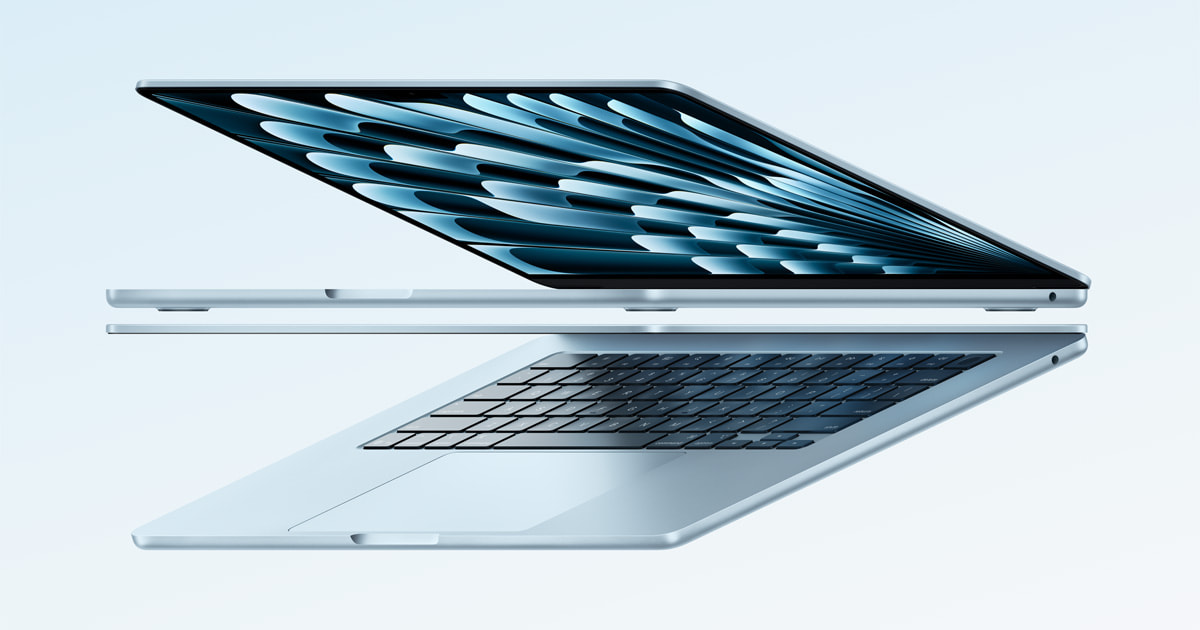
One of the best affordable laptops for students we’ve tested is the Apple MacBook Air 13 (M4, 2025). This premium 13-inch ultraportable is perfect for college students who need a dependable device for writing, browsing, research, and media consumption.
It features a sturdy all-aluminum design and a compact, lightweight build that’s easy to carry around campus. The battery comfortably lasts through a full school day, making it ideal for back-to-back classes. Powered by Apple’s M4 chip, it handles everyday student workloads effortlessly, including light video editing and basic 3D tasks.
Because it’s fanless, the MacBook Air runs silently—great for quiet classrooms and libraries. You also get a sharp, vibrant display, a comfortable and tactile keyboard, a precise haptic touchpad, and an excellent 1080p webcam for video calls.
Its main drawback is limited port selection, with only two USB-C ports. If you want more screen space, the Apple MacBook Air 15 (M4, 2025) is also a strong option, though it comes at a higher price.
If you prefer Windows, consider the Microsoft Surface Laptop 7th Edition 15 (2024). It offers a brighter 120Hz touchscreen, a comfortable keyboard, and more ports. However, this model uses an ARM-based Qualcomm processor, so some specialized software may not run natively. Always check compatibility with your school before purchasing. A 13-inch version is also available for students seeking a more affordable alternative.
Acer Swift Go 14 (2024)
If you’re looking for one of the best cheap laptops for students in the mid-range category, the Acer Swift Go 14 (2024) is an excellent choice.
This 14-inch Windows ultraportable is lightweight and compact while still feeling sturdy for its price. Battery life lasts around 11 hours with light use, and it charges conveniently via USB-C—no proprietary charger required.
It comes with a spacious keyboard (slightly soft but comfortable), a large responsive touchpad, a 1080p webcam, Wi-Fi 6E, and excellent port variety, including two Thunderbolt 4 ports and HDMI.
For around $700 USD (pricing may vary slightly), you can get a configuration featuring:
- 90Hz 2.8K OLED display
- Intel Core Ultra 5 processor
- 16GB RAM
- 512GB SSD
The Core Ultra 5 chip is powerful enough for productivity tasks and even programming workloads. You can upgrade to a Core Ultra 7 or higher storage options if needed.
Keep in mind that the OLED display may flicker at certain brightness levels. If you’re sensitive to flicker, there’s an IPS option available, though it offers lower resolution (FHD+) and a 60Hz refresh rate.
ASUS Vivobook 16 M1605 (2023)
For students seeking low cost laptops for students, the ASUS Vivobook 16 M1605 (2023) is a strong budget-friendly pick.
Despite its affordable price, it feels well-built and remains reasonably portable for a 16-inch laptop. It’s available with AMD Ryzen 5 or Ryzen 7 processors, both powerful enough to handle everyday student tasks like document editing, web browsing, video streaming, and light multitasking.
RAM options are limited to 8GB or 16GB. While 16GB models can be harder to find, the memory is user-upgradeable, meaning you can buy the 8GB version and upgrade it later with a SO-DIMM stick.
Battery life is decent at around eight hours of light usage.
User experience is solid overall:
- Comfortable keyboard
- Large, responsive touchpad
- Decent 720p webcam
- Wi-Fi 6E connectivity
- Fingerprint sensor for quick login
The display is sharp enough but somewhat dim and slightly washed out—common for budget laptops. Port selection is generous, including three USB-A ports, one USB-C, and HDMI. Note that the USB-C port does not support video output, so you’ll need the HDMI port for external displays.
Lenovo IdeaPad Slim 3i Chromebook 14 (2023)
The Lenovo IdeaPad Slim 3i Chromebook 14 (2023) is the best laptop for students budget option we’ve tested in the affordable category. It’s an excellent choice if you only need a simple device for web browsing, Google Docs, online classes, and basic assignments.
Its compact and lightweight design makes it easy to carry around campus, and the battery lasts about 13 hours with light usage, which is impressive for its price range. The Core i3 configuration—paired with an FHD display, 8GB of RAM, and 128GB of storage—is frequently discounted to around $400–$500 USD on Lenovo’s website. While there are cheaper versions available, they’re only suitable for extremely light workloads.
In terms of user experience, the FHD display looks sharp, gets bright enough for well-lit environments, and supports touch input. However, the keyboard feels slightly mushy, and the touchpad is small and occasionally unresponsive. On the bright side, its 1080p webcam is surprisingly good for a budget Chromebook.
Before buying, make sure your schoolwork can be completed through a Chrome browser or Android apps. If you require full desktop applications, a Windows laptop like the ASUS Vivobook 16 M1605 (2023) mentioned earlier would be a better option.
Apple MacBook Pro 14 (M4, 2024)
For students in technical majors who need serious computing power, the Apple MacBook Pro 14 (M4, 2024) is among the best laptops on a budget for student professionals requiring high performance. While it maintains the same premium exterior design as its M3 predecessor, it includes meaningful internal upgrades.
This remains a high-end workstation laptop with a durable all-aluminum build and compact footprint. It features a stunning 120Hz Mini LED display, powerful upward-firing speakers, and a wide selection of ports. The battery easily lasts a full day of classes and recharges in under two hours.
Notable upgrades in this M4 model include:
- Increased SDR brightness (up to 1000 cd/m²)
- Optional nano-texture display to reduce glare
- 12MP webcam with Center Stage
- Thunderbolt 5 support (Pro and Max models)
The base M4 model also now includes a third USB-C port, matching the external display support of the Pro version—great news for students who use multiple monitors.
If screen size matters more than portability, consider the Apple MacBook Pro 16 (2024). It offers the same performance with even better speakers, though it’s more expensive and only available with M4 Pro or Max chips.
ASUS ROG Zephyrus G14 (2024)
If you want a budget laptop for students that can also handle gaming in your free time, the ASUS ROG Zephyrus G14 (2024) is a fantastic option.
Despite its slim 14-inch design, it delivers powerful performance for demanding games while still being portable enough for campus life. It features a gorgeous 120Hz 2.8K OLED display, a comfortable and tactile keyboard, and one of the best speaker systems available on a Windows laptop.
Connectivity and features include:
- Wi-Fi 6E
- IR facial recognition camera
- Two USB-C ports
- HDMI 2.1
You can configure it with an AMD Ryzen 7 or Ryzen 9 processor paired with NVIDIA GeForce RTX 4050, 4060, or 4070 graphics. If you’re fine with 1080p gaming, the RTX 4050 model works well. However, for 1440p or native 2.8K gaming, upgrading to the 4060 or 4070 is recommended.
RAM options go up to 32GB and storage up to 1TB. Only the SSD is user-replaceable, which may be worth upgrading later since modern games consume storage quickly. Battery life is decent at around eight hours of light use, though gaming will require plugging in for best performance.
How We Chose These Laptops
Our recommendations represent what we currently consider the best laptops for college students. We factor in:
- Real-world performance testing
- Price-to-performance value
- User feedback
- Availability
If two laptops perform similarly, we favor the more affordable option when the price difference isn’t justified. We also avoid recommending models that are difficult to find or frequently out of stock.
If you prefer to explore further, reviewing laptops by price range is a smart way to compare options. Keep in mind that most laptops come in multiple configurations, and performance can vary depending on RAM, storage, and processor choices.
